Plug-in for Adobe InDesign (formerly Pro Edition)
Probably the world's fastest and smartest way of creating
professional layouts in Adobe InDesign.
30-day demo. Compatible with Adobe InDesign CC 2026.
This product page is still being built out — some sections are incomplete and content may change.
While many designers waste hours on math and manual setup, our users build reusable layout presets in minutes.
Baseline Grid
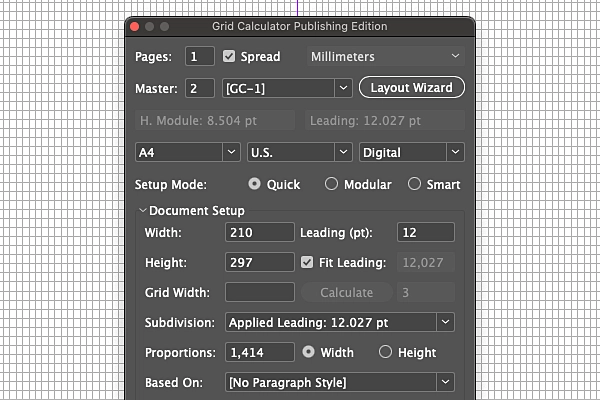
Enter your desired baseline grid and the plug-in will apply the closest fitting value or uncheck 'Fit Leading' to offset the document grid at the bottom but apply the exact entered baseline grid (leading). Additionally, if you set the top and bottom margins to custom values the baseline grid will fit perfectly in the type area (area within margins).
Margins
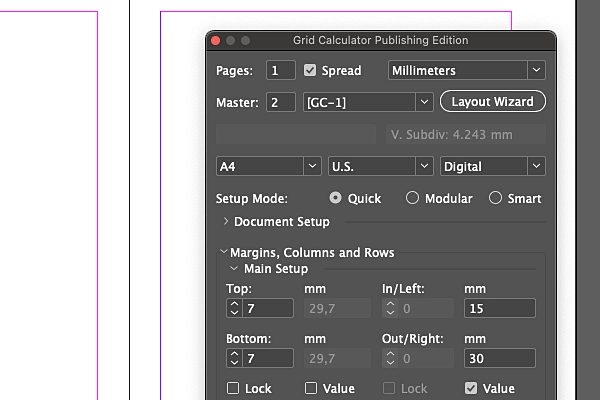
Regardless if your layout requires you to set custom margins not based on document grid or vice versa our plug-in handles either case with ease. Just check the box 'Value' to enter custom value.
Document Grid
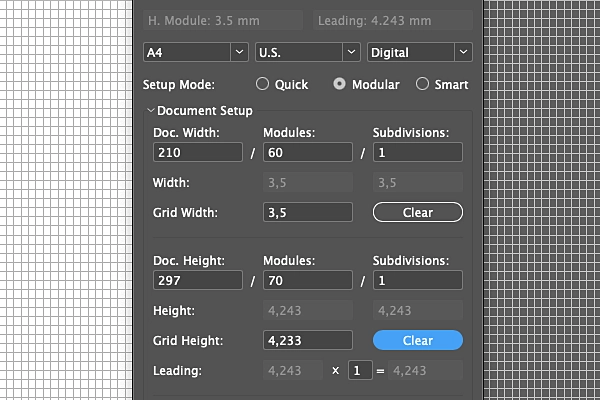
Easily setup and edit your document grid. No need to worry about entering the perfect values — the plug-in calculates everything for you. In Modular mode, just enter your desired values and click 'Calculate' (where image shows 'Clear').
Columns & rows
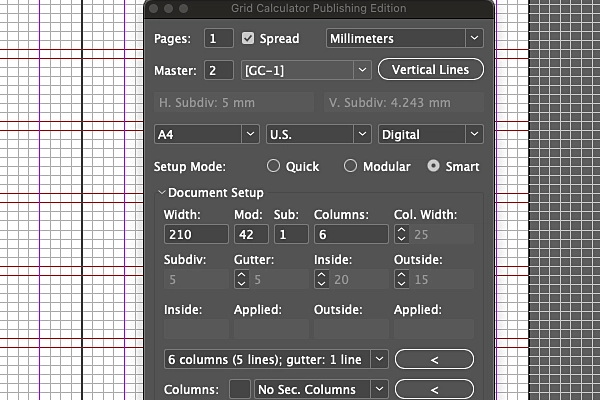
If you know the number of columns and rows you wish to apply to your layout then Smart mode (that syncs with Modular mode) is the perfect choice. Set your document grid in Modular mode and then in Smart mode simply enter desired number of columns and rows along with gutter and adjust until you find your perfect setting.
Typography
Align images to your text perfectly with image-lines based on x- or H-height. Dynamically adjust your text based on font size (or grid width) with indents/exdents and tabs.
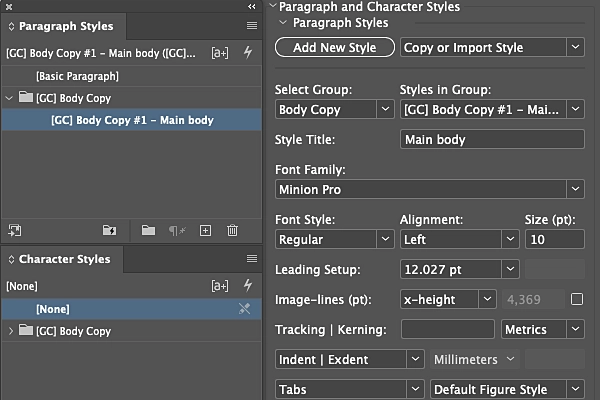
Multi-Master
Multiple master pages handled with ease. Create multiple different layouts in the same file, the plug-in handles all restrictions such as document grid.
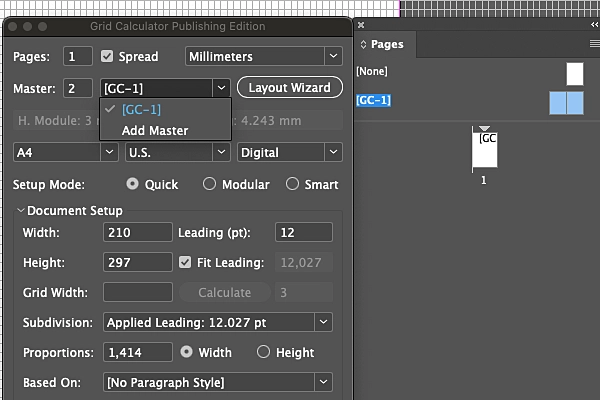
Dynamic Layout
Your layout adjusts dynamically, instead of having to update all parts of your layouts.
Templates & Presets
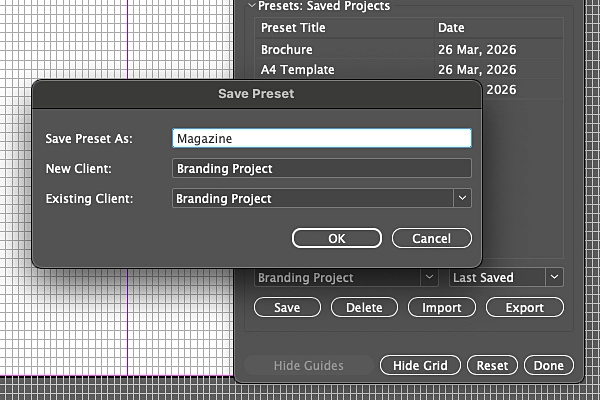
Save and reuse your layouts organised in folders. No need to open InDesign files. Your presets travel with you across every project and are stored in your Documents folder.
Layout Wizard
Answer a few questions for the Layout Wizard to recommend the right mode for your desired layout.
Quick mode
The easiest and most flexible mode in terms of creating a layout where you can setup custom margins that is not based on the document grid. You can also apply any baseline grid to the document or enter a desired value that will adjust for a perfect fit within the type area. This mode allows you to apply a custom type area grid (the area within the margins) and custom columns and rows.
Modular mode
Synced with Smart mode. Enter your desired grid cell width and height — Grid Calculator finds the closest matching values within the document grid. Allows you to create modules (big blocks) and split into subdivisions (small blocks).
Smart mode
Synced with Modular mode. Great if you already know the number of columns and rows you need for your layout — the type area expands or contracts to fit, think of it like reverse engineering your layout. You can also enter desired margin values and have the closest possible be applied and then pick whatever columns and rows fit.
"Your approach is exactly the one I have been using for about 40 years, since the arrival of photosetting. When programs like Quark and InDesign came out, my method got forgotten, but now it seems we can work like this again."
"Once you understand Grid Calculator Pro Edition, you'll wish you had it years ago."
"A comprehensive tool for design pros creating grid-based layouts. It aims to take the pain out of the maths involved in creating grid-based systems."
Grid Calculator PE supports Adobe InDesign CC and all versions through InDesign 2026. When Adobe releases a new version, we update the plug-in to match — your subscription covers all updates at no extra cost.
Currently Grid Calculator PE is available for macOS only. Windows support will be investigated in a future update.
Yes. Your license can be activated on up to 2 computers, but only used on one at a time.
Your access continues until the end of the current billing period. After that, the plug-in will stop working. Your presets are stored in Documents/Grid Calculator Publishing Edition and can be used again once plug-in is activated again.
Yes — a 30-day demo is available for download from this page. The demo lets you evaluate all features before purchasing.
Download the installer from this product page, close InDesign if it's running, and run the .pkg file. On next launch, Designers Bookshop menu will appear in Adobe InDesign. Activate plug-in; enter all details except license to activate demo or enter license to activate your license.
Yes. Each version of InDesign requires its own specific version of the plug-in. After upgrading InDesign, download the latest installer from the product page and run it. Your settings and presets will be preserved.
Cancel anytime. 30-day refund policy (see Terms of Service for detailed information).
Monthly
Yearly
Secure checkout via FastSpring
Mac · License activates on up to 2 computers, use on 1 at a time